Open-source macOS devtool
cmdFlow
A macOS app: under a global shortcut it runs clipboard text through an AI model (on-device Apple or OpenRouter/OpenAI). It also has vision — select a screen region and chat about it with the model.
Project preview
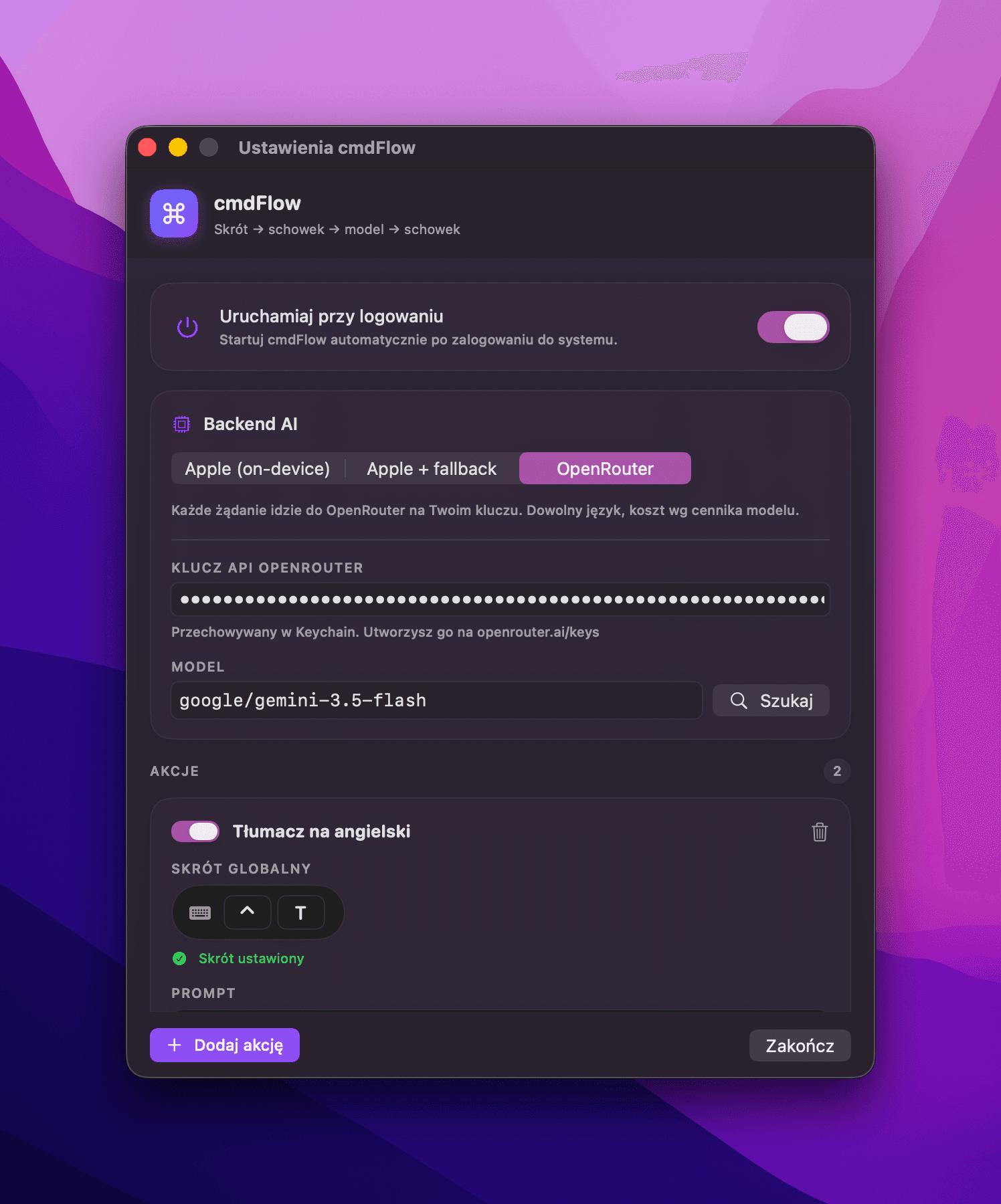
Settings
AI backend (Apple / fallback / cloud), OpenRouter and OpenAI providers, and shortcut-bound actions.
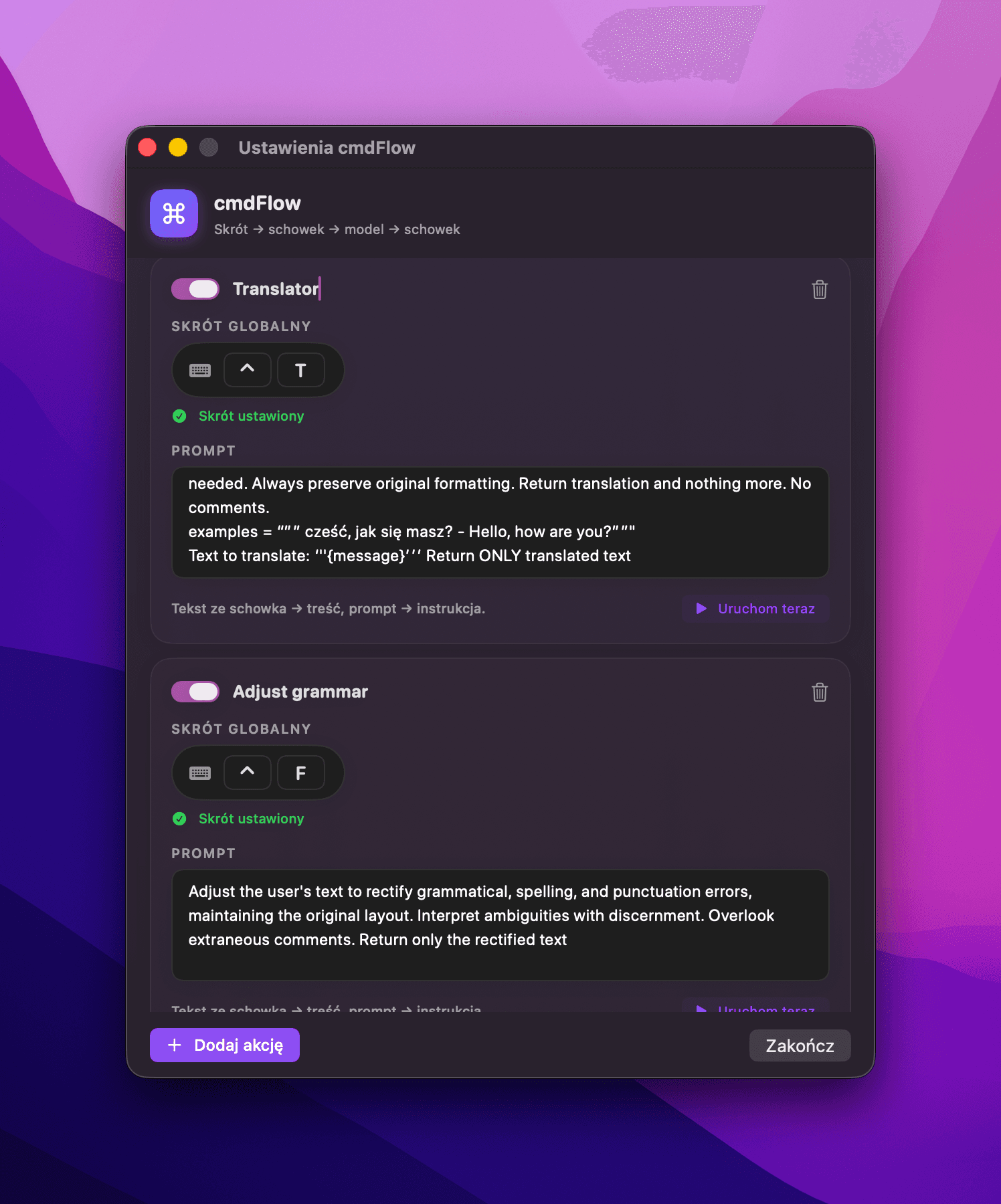
Actions
Each action has its own global shortcut and prompt — e.g. translation and grammar fixing.
Overview
cmdFlow started from a simple annoyance: I keep copying a snippet and want to transform it fast — translate, fix grammar, summarize — without pasting into ChatGPT and switching windows. I press a shortcut, the clipboard text goes through my prompt into a model, and the result lands back in the clipboard.
Problem
Quick text processing usually means switching to a separate chat, pasting, waiting, and copying the result back. Across dozens of tiny operations a day, that is a real attention cost.
Product bet
If a text transformation is one global shortcut and the result lands straight in the clipboard, working with text becomes instant and never breaks focus.
What I built
- Global shortcuts via Carbon, without Accessibility permissions.
- Multiple actions, each with its own shortcut and prompt.
- On-device backend: Apple Foundation Models (SystemLanguageModel).
- Cloud providers OpenRouter and OpenAI on your own API key (Keychain), with a model search and web search.
- Screenshot chat (vision): select a screen region and ask a model about it — streamed answers, multi-turn, chat history, editable system prompt.
- Apple mode with automatic cloud fallback, launch at login, and an animated shortcut recorder.
AI layer
The core is the Apple Foundation Model running locally on the Mac. Testing surfaced a concrete limitation: the model rejects Polish input text (the unsupportedLanguageOrLocale guardrail). So I added cloud providers and an automatic fallback — private and on-device where possible, cloud where needed.
Architecture
Swift, SwiftUI (MenuBarExtra), FoundationModels, Carbon HotKey, NSPasteboard, Keychain, and SMAppService. An SPM package assembled into a .app by a script, with CI and releases via GitHub Actions on macos-26 (DMG + ZIP).
Key decisions
- On-device and privacy as the default mode, cloud as a deliberate choice.
- Cloud providers on the user’s key instead of my own backend and costs.
- No .xcodeproj — an SPM package assembled into a .app, to keep the repo clean for open source.
- Honestly document the Polish limitation instead of pretending it is not there.
Outcome / evidence
A public open-source project with GitHub releases (DMG/ZIP), a Vercel landing page, and three interchangeable AI backends.
What I would do next
A v0 landing page, a starter set of actions, and possibly signing and notarization once an Apple Developer account is available.