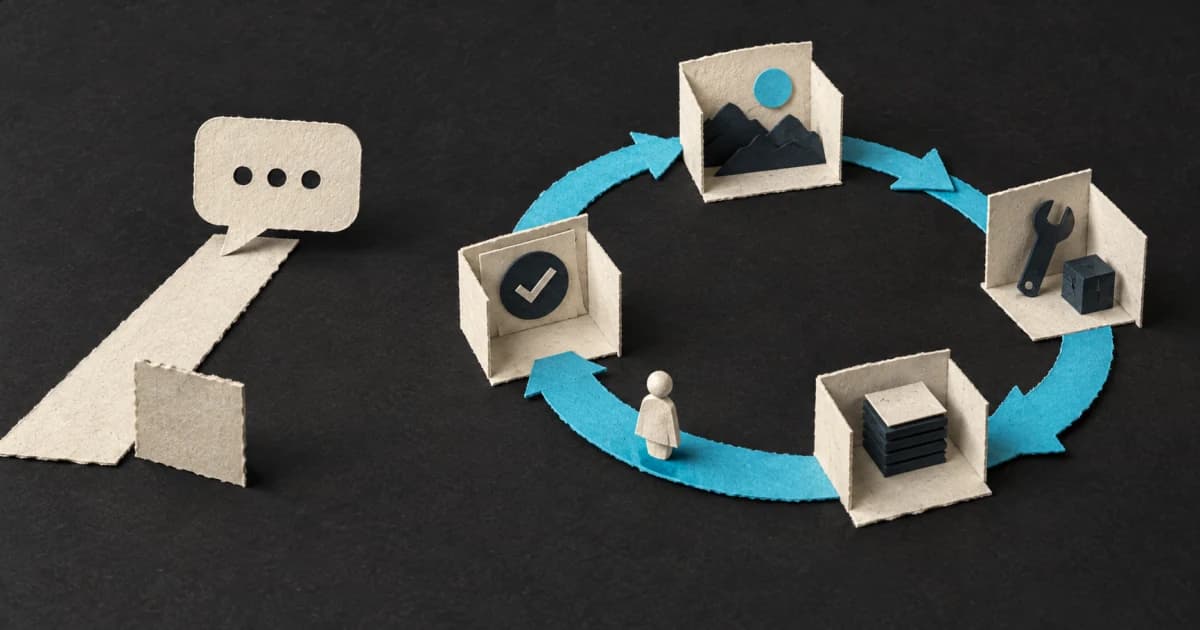
An AI agent is not a chatbot with a longer system prompt. It is a system in which a model receives a goal, chooses actions, uses tools, observes the result, and decides what to do next.
That distinction becomes obvious as soon as the system touches the outside world. A chatbot can say that it created a task. An agent should call the task API, receive a valid task ID, and only then report success.
What is an AI agent?
A practical definition is:
An AI agent is a model running in a loop: it observes state, selects an action, uses a tool, and updates its next step from the result.
The language model is the decision-making component, not the whole system. A working agent also needs:
- a goal and clear operating boundaries,
- tools such as search, a database, or a terminal,
- state that records what has already happened,
- feedback from the environment,
- a stopping condition or a point where a human takes over.
Anthropic separates agents from workflows. In a workflow, code defines the path in advance. In an agent, the model dynamically chooses how to proceed and which tools to use.
Agent, chatbot, or workflow?
A chatbot is built around conversation. It receives a message and generates a response. It may use chat history or retrieval, but it does not have to perform an external action.
A workflow follows a path chosen by the developer. Fetch the record, classify it, send the result to a known destination. A model can handle one step without controlling the process.
An agent receives an outcome rather than a complete list of steps. A coding agent may search documentation, inspect several files, run a test, reject its first hypothesis, and choose a different route.
That flexibility is not free. Agent loops increase latency and cost. They also let an early mistake affect later actions. If a fixed path solves the problem, the fixed path is usually the better product.
How does an AI agent work?
A basic loop looks like this:
- The system receives a goal and current context.
- The model selects the next action.
- The application checks whether that action is allowed.
- A tool performs the action and returns a result.
- The result goes back into the model's context.
- The model continues, stops, or asks for human judgment.
Consider an agent handling a bug report. Producing a plausible fix is not enough. The useful system can locate the right repository, reproduce the issue, inspect logs, change the code, run the relevant tests, and return evidence that the behavior changed.
Environmental feedback is what keeps the loop grounded. “The tests pass” is a sentence. A successful test process tied to the current revision is evidence.
The parts around the model
The model
The model interprets the goal and chooses actions. The largest model is not automatically the right one. A cheap model may handle routine classification while difficult or high-risk requests escalate to a stronger model. That tradeoff is the subject of the guide to AI model routing.
Tools
Tools turn model output into action: read a file, query an API, update a record, or run a test. Their shape matters. A broad, ambiguous API makes the model guess. A small operation with explicit inputs and a verifiable result is easier to use reliably. See how to design tools and APIs for agents.
Context and memory
The agent needs the task, rules, previous actions, and tool results. Loading everything into one huge prompt is not a durable memory strategy. Old and irrelevant information competes with the evidence needed for the current step. The guides to agent memory and context engineering cover those layers separately.
Environment and verification
An agent needs an environment where it can observe the consequences of its work without getting unlimited reach. Sandboxes, isolated worktrees, logs, explicit permissions, and approval gates are part of the product design.
When should you use an agent?
An agent is a reasonable fit when:
- you cannot predict every required step in advance,
- later decisions depend on earlier observations,
- progress can be checked against an environment,
- failures can be detected, stopped, or reversed,
- the value of the task justifies extra cost and latency.
Debugging a large codebase fits this pattern. The relevant files and hypotheses emerge during the investigation, while tests provide feedback.
Copying a known field from one system to another does not. A deterministic script will be cheaper, faster, and easier to reason about.
A safer first agent
I would not start with the goal of building an “autonomous employee.” I would choose one bounded process with a visible outcome and a useful set of historical examples.
A good first use case has:
- a precise objective,
- a small tool set,
- measurable success criteria,
- reversible actions,
- a human checkpoint before high-impact changes.
Run it in shadow mode first. Let the system analyse and propose without writing to production. Comparing its decisions with human decisions will teach you more than a polished demo built from a few friendly examples.
Before increasing autonomy, build agent evals and end-to-end checks. They give you a way to tell whether the next model, prompt, tool, or memory change improved the system or quietly moved the failure somewhere else.
Sources
Want to build an AI agent, an MVP, or an app?
I design and build AI products from the first version to production: MVPs, React Native mobile apps, web apps, and AI agents. Tell me what you want to build and I will tell you where to start.